A ProCamera Year-End Update Packed with Pro Power for Photo and Video
Video pros get a streamlined setup and new high-end formats, while photo enthusiasts gain a powerful external-drive workflow for their iPhone.
AIRPODS HIGH QUALITY AUDIO
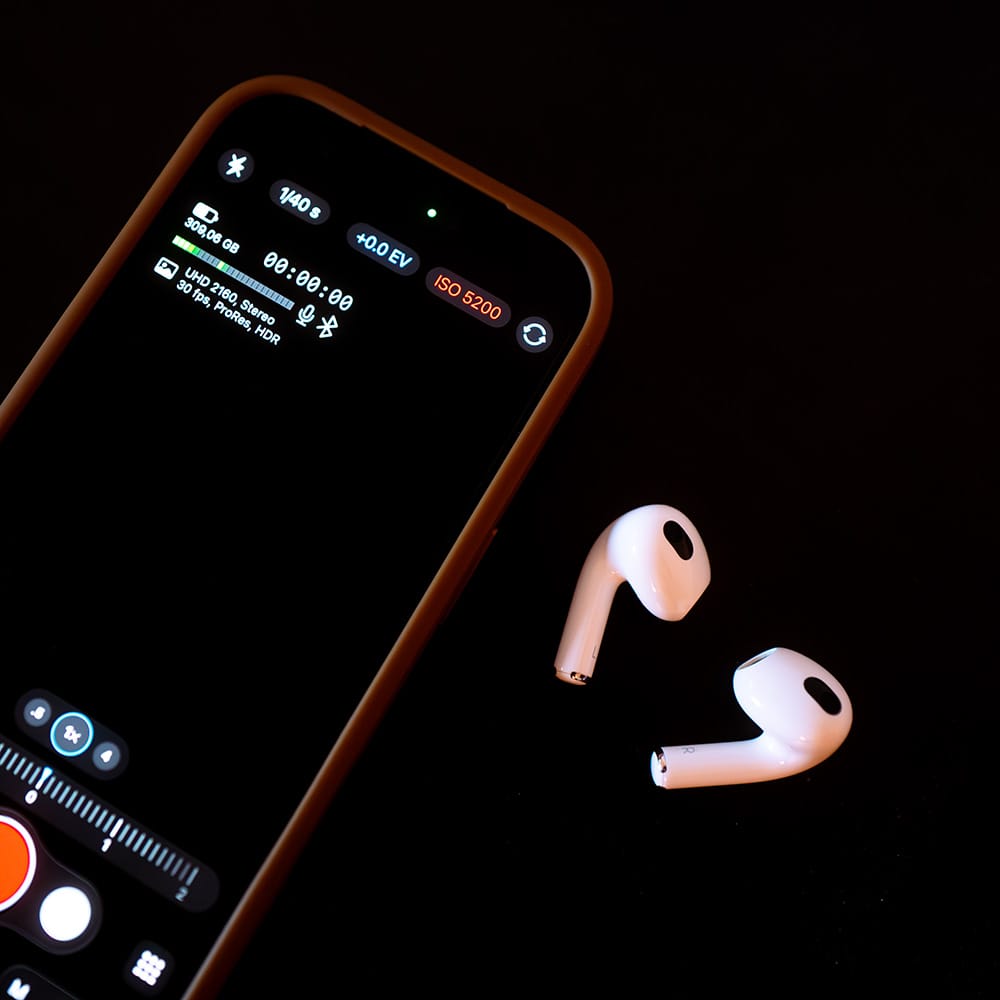
When filming, record clear voice audio with Apple AirPods acting as a wireless lav microphone. Ideal for vlogging, interviews, and all kinds of mobile, hands free-setups.
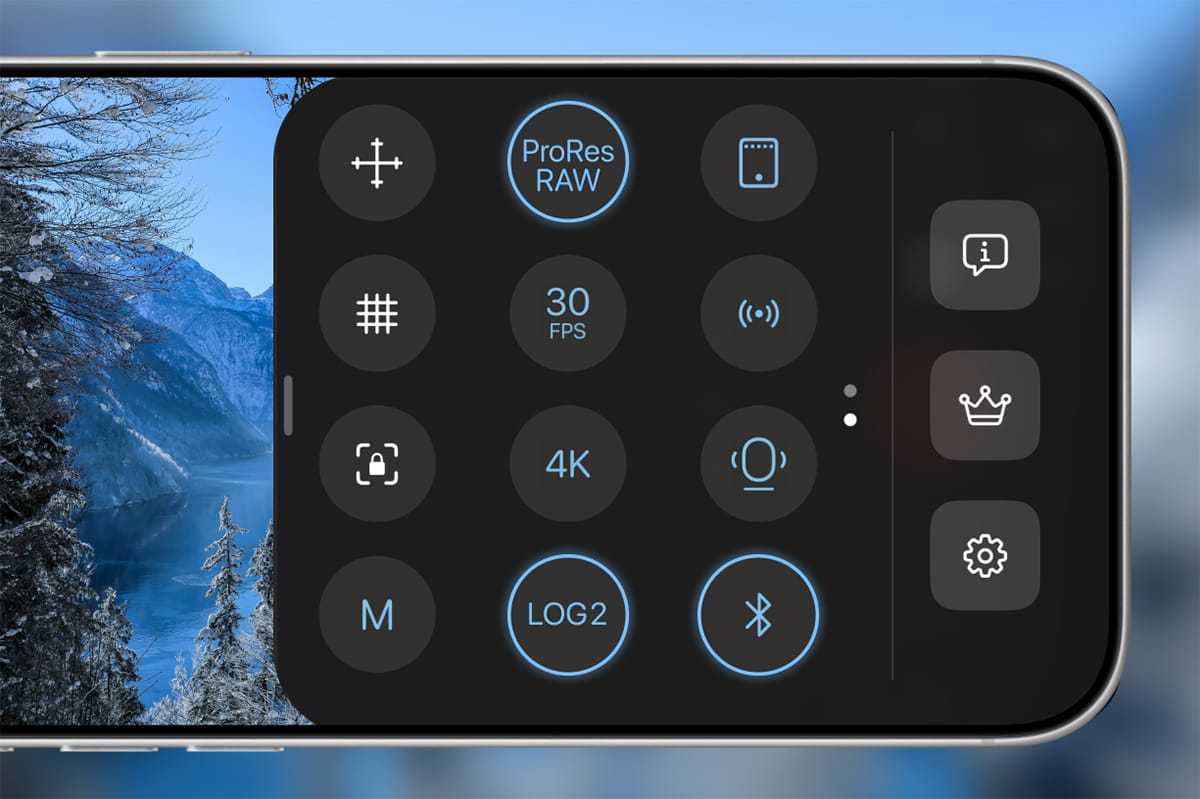
To use Bluetooth headphones as a microphone, make sure they’re connected to your iPhone, then switch to Video mode in ProCamera and enable Bluetooth in the Control Panel. Once selected as the external microphone, a Bluetooth icon is displayed in the Video Info Panel. To stop using AirPods as the microphone, simply disable Bluetooth in the Control Panel.
Note 1: This feature is currently not available in the EU due to factors beyond our control.
Note 2: To record spatial audio with the built-in microphones of modern iPhones, turn off Bluetooth. The “Spatial” option will then appear in Audio Mode in Control Center.
IMPROVED EXTERNAL STORAGE SUPPORT
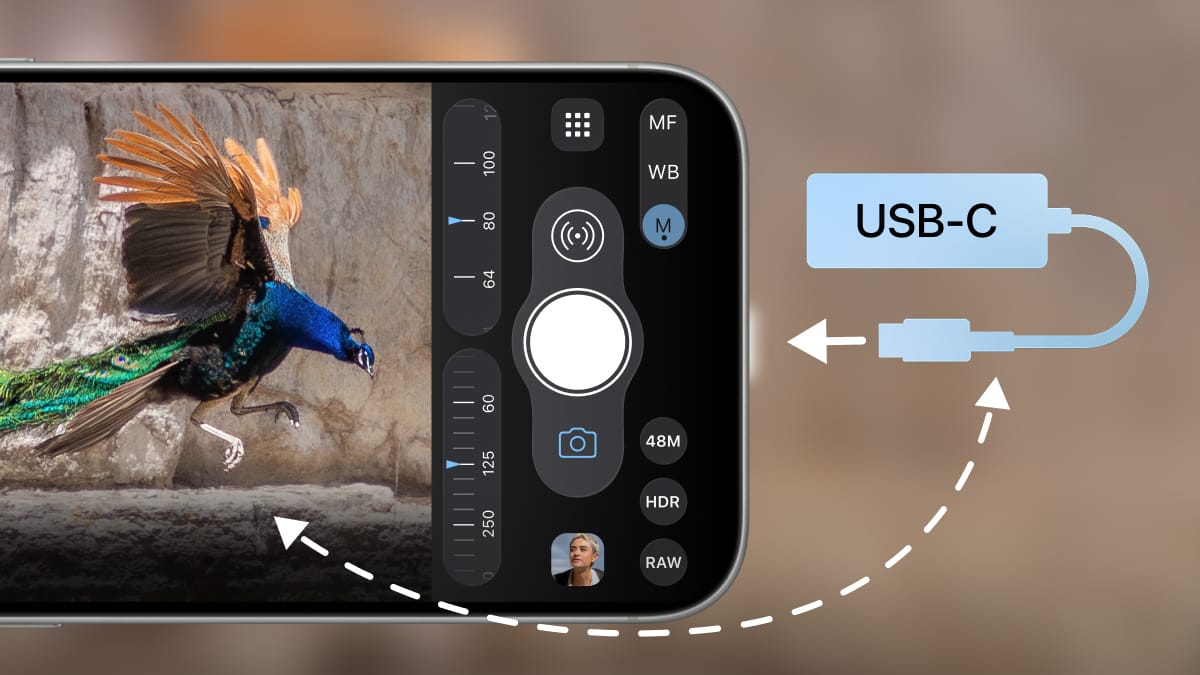
ProCamera offers powerful ways to work with external drives:
- Browse photos and videos saved to external drives on your iPhone and iPad. You can even inspect the metadata and delete external files.
- Import and share media straight from an external drive. Bring files in from a USB drive or the SD card of your dedicated camera, edit them in ProCamera, and send them instantly via AirDrop, Mail, social media, and more (premium feature).
- Capture new shots directly to external storage (premium feature).
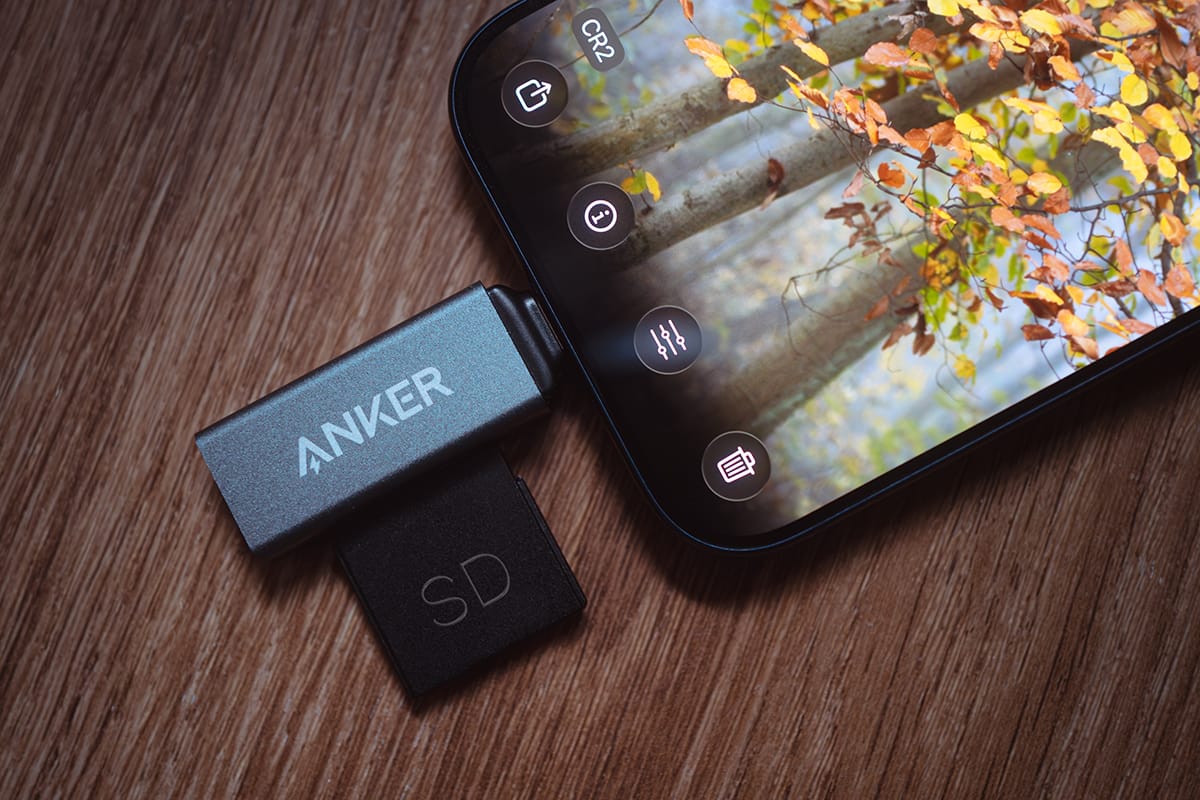
Save externally:
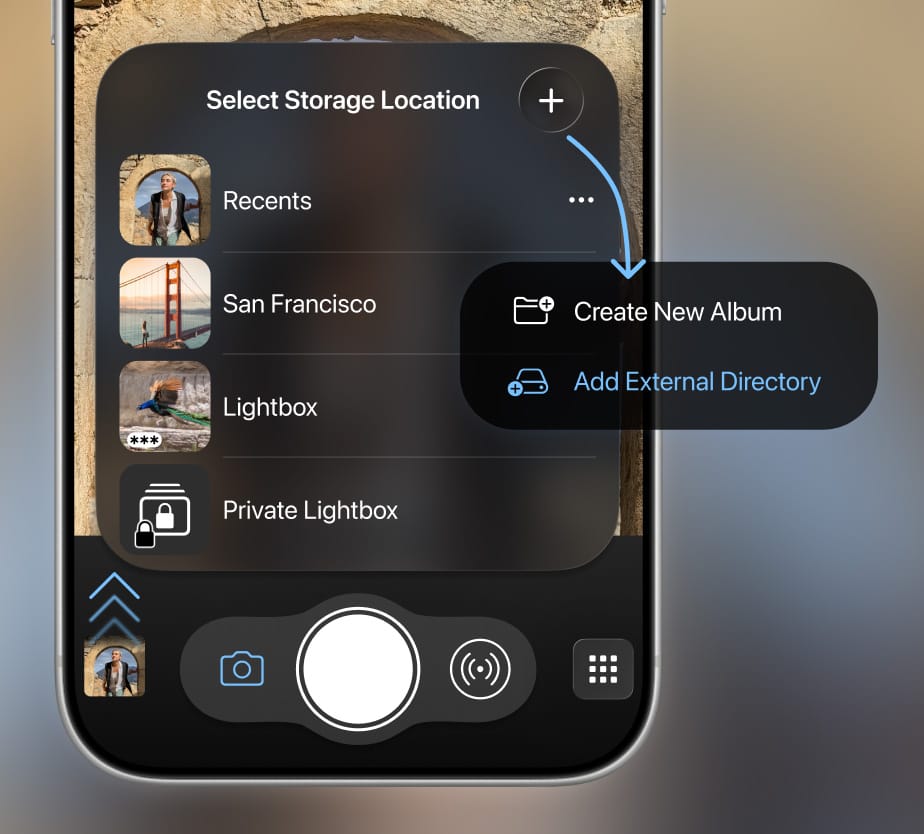
To save new captures to an external drive, simply swipe up from the thumbnail image, tap the “+” button and select “Add External Directory” (see screenshot).
PRORES RAW
Step into serious high-end video production: With ProRes RAW in ProCamera‘s Video mode, you gain maximum flexibility for color grading and post-production.
The new streamlined Control Panel lets you switch to ProRes RAW directly on the capture screen.
ProRes RAW – Key benefits:
- Visually lossless
- Highest image quality of all ProRes versions
- Preserves full dynamic range and wide color gamut for HDR workflows
- Available in combination with LOG and LOG 2 color format
- Allows faster and more flexible adjustments (exposure, white balance,…) in post-production
Special requirements:
- Available on iPhone 17 Pro (Max)
- Requires fast, external storage (USB-C drive, SD card with adapter,…)
- Always captures in cinema-style 4224 × 2240 pixels resolution (higher than the regular 4K UHD resolution which records at 3840 × 2160 px)
- Doesn’t support digital zoom – but supports all three rear-facing lenses (0.5x, 1x, 4x)
LOG 2 VIDEO RECORDINGS
In addition to Log video recording, ProCamera now also supports Apple Log 2 when filming in ProRes and ProRes RAW. Both Log profiles capture greater dynamic range and offer expanded grading flexibility, while Log 2 preserves even more highlight and shadow detail for demanding HDR and professional workflows.
Note: Requires iPhone 17 Pro (Max).
WINDOWED APP SUPPORT
To activate free-floating windows on iPadOS 26, go to iPad Settings > Multitasking & Gestures and select “Windowed Apps” (the option for the classic behavior which doesn’t allow resizing is called “Full Screen Apps”).
GENERAL IMPROVEMENTS
As always, if you have any questions, suggestions, or encounter a bug, please reach out to us via in-app support or email at [email protected].
PS If you’d like to support our development, please help spread the word and consider leaving a positive review in the App Store -> http://procamera-app.com/review
Thank you!