ProCamera v26.3 brings you powerful new features, more creative control and a tidier library.
With this major summer update, we’re introducing photo stacks for the very first time, an enhanced library grid, time-lapse video export, a dedicated ƒ-stop dial, and much more…
PHOTO STACKS
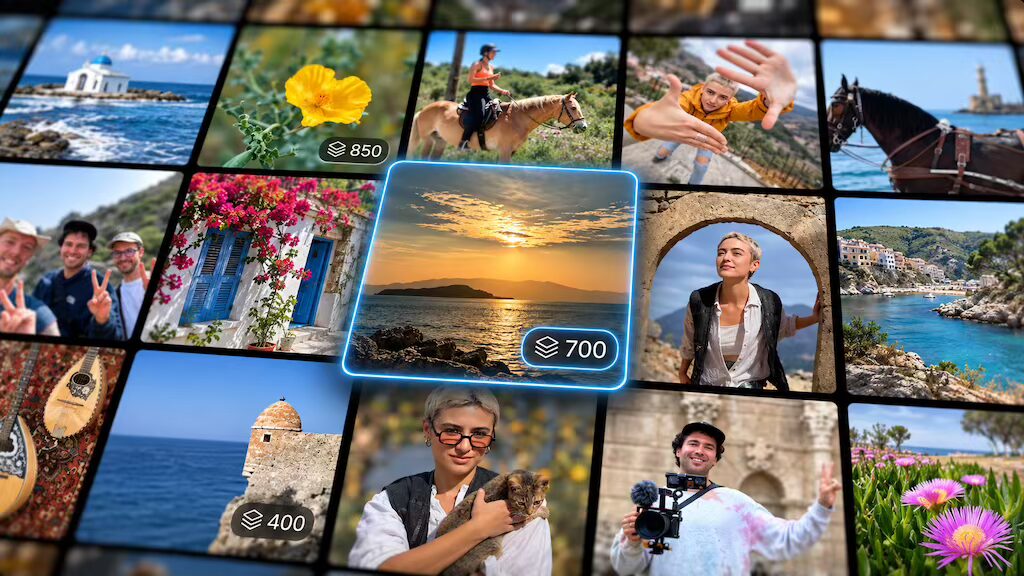
Photo bursts, exposure brackets, and intervalometer time-lapse sequences are now grouped into a single collapsed stack in the internal Lightbox and Private Library, keeping your library tidy. Each stack is clearly labeled with a badge showing the number of photos it contains.
A MODERN LIBRARY VIEW
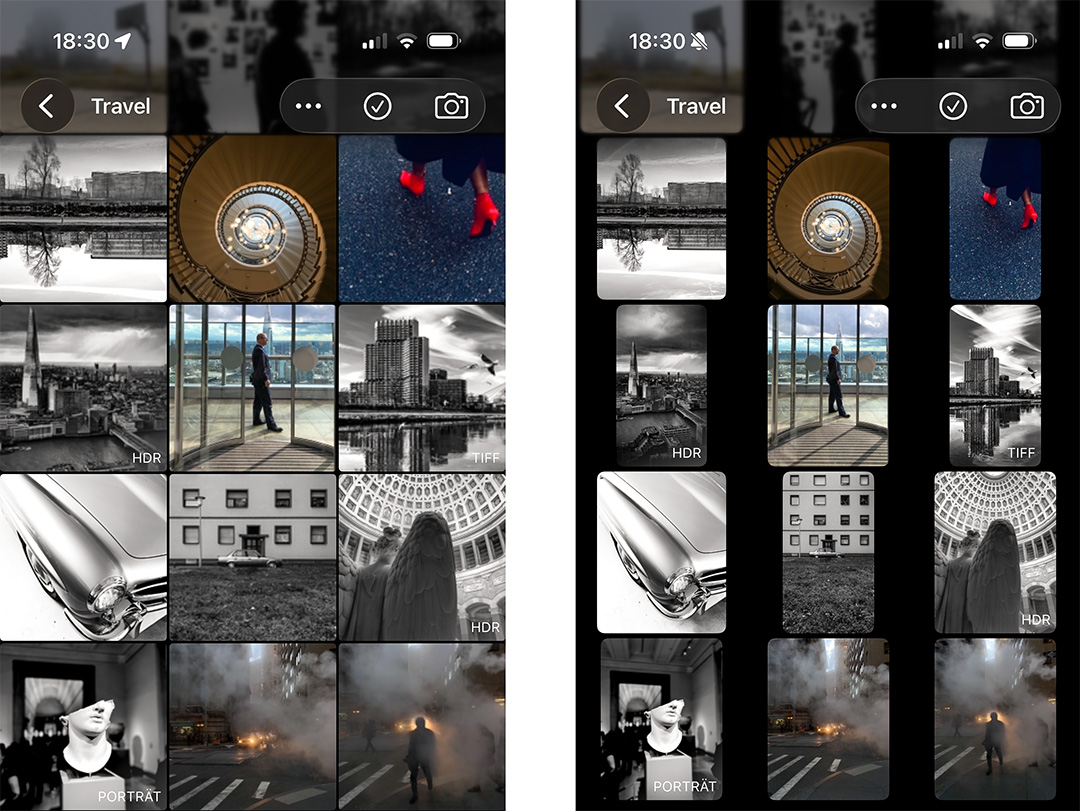
A modern thumbnail grid for browsing your photos and videos. To change the zoom level (the number of items per row), simply use the classic two-finger pinch gesture or tap the “…” button in the top menu. From this menu, you can also choose between a grid of square thumbnails and one that displays each photo in its native aspect ratio.
TIMELAPSE VIDEO EXPORT
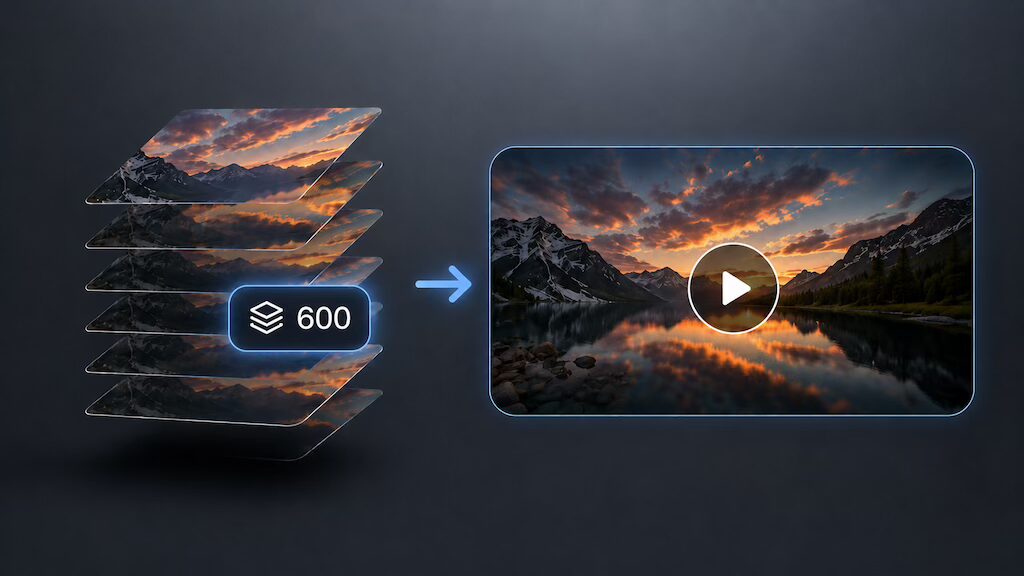
Turn your ProTimer photo sequences into finished timelapse videos. Export as H.264 or HEVC, with an adjustable frame rate and your choice of resolution. To do so, open one of your photo stacks in the (Private) Lightbox and select the “Create Timelapse” action from the “…” menu at the top. This will open a menu with configurations for your custom timelapse video.
APERTURE CONTROL IN PORTRAIT MODE
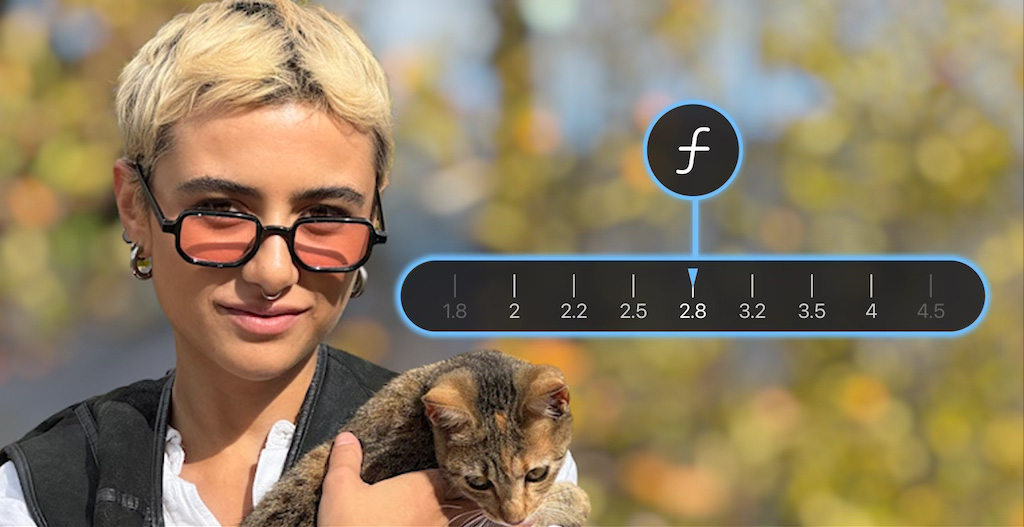
Control the depth of field in Portrait mode with a dedicated ƒ-stop dial. Previously, you could only adjust the simulated aperture in the Editing Studio after taking a Portrait mode photo. Now, you can dial in your preferred aperture value (=ƒ-stop) directly on the capture screen.
CONSTANT ISO EXPOSURE BRACKETING (Premium)
A new Constant ISO setting locks ISO across the whole exposure bracket so only shutter speed changes, giving you a consistent noise level across every frame and therefore cleaner HDR merges in advanced post-processing.
To activate this premium feature, go to Settings > Exposure Bracketing > Constant ISO: On.
GENERAL IMPROVEMENTS
As usual, bug fixes and performance improvements.
As always, if you have any questions, suggestions, or encounter a bug, please reach out to us via in-app support or email at [email protected].
PS If you’d like to support our development, please help spread the word and consider leaving a positive review in the App Store -> http://procamera-app.com/review
Thank you!