
Photo
Activate RAW and ProRAW capture
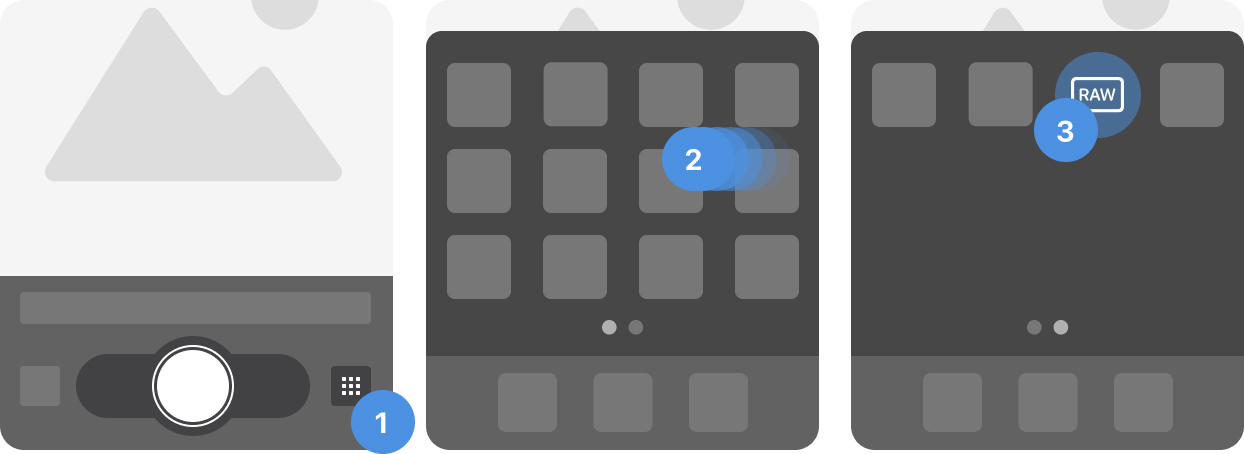
The quickest way to enable or disable RAW capture is with the RAW Toggle. This feature lets you instantly switch between your preferred RAW and non-RAW file formats directly from the Capture Screen. If you frequently alternate between a specific RAW format and a non-RAW format, the RAW Toggle is faster than opening the Control Panel and selecting the desired file format each time.
Enabling RAW Toggle feature:
- Tap the Control Panel button.
- Swipe left to access the second page of the Control Panel.
- Tap the RAW Toggle button.
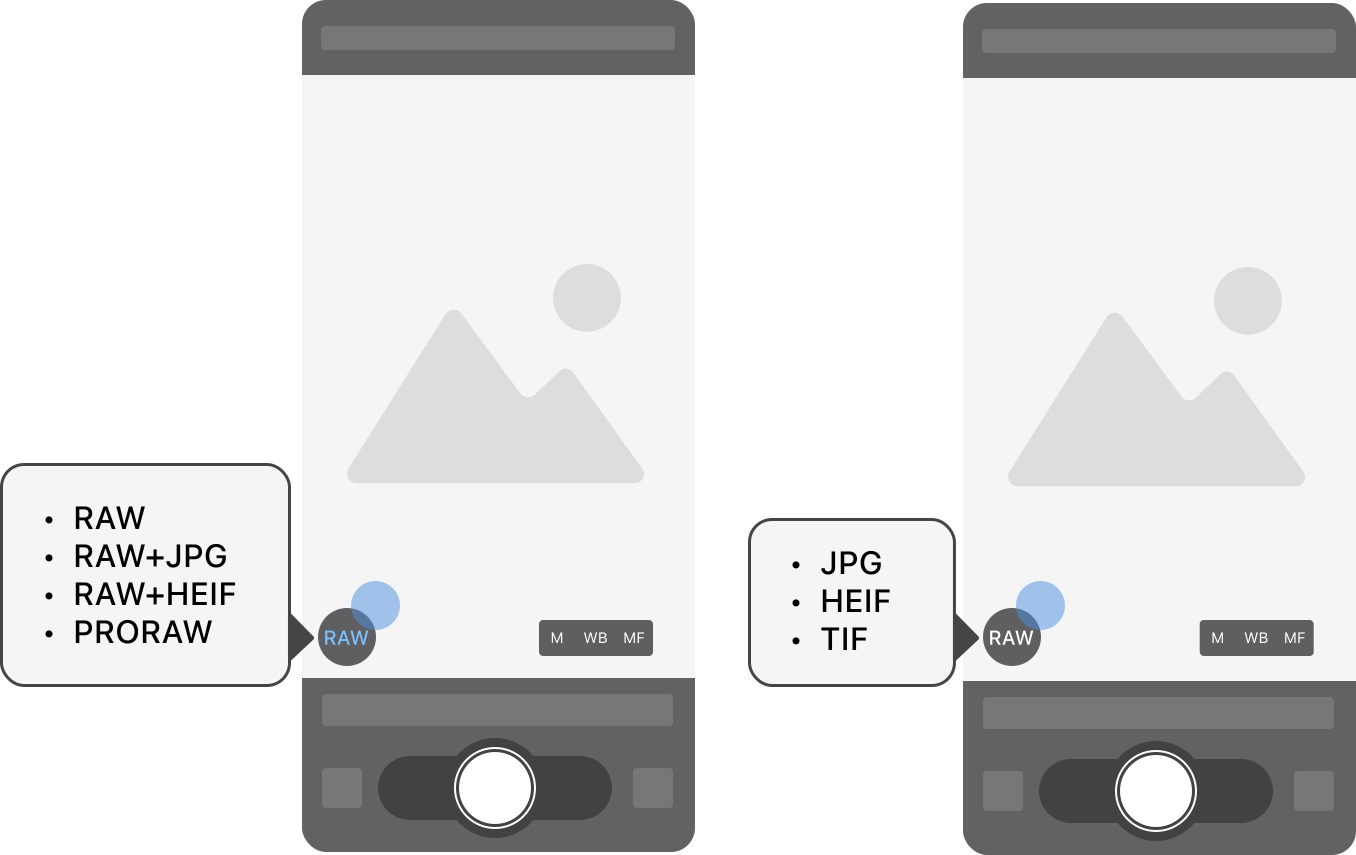
Once you enable this feature, the corresponding RAW button will appear on the Capture Screen. Activating the RAW Toggle button in the Control Panel will not activate RAW capture right away. Tap the RAW Toggle button on the Capture Screen to activate RAW capture (= button is tinted blue). Tap the button again to switch to your preferred non-RAW file format.
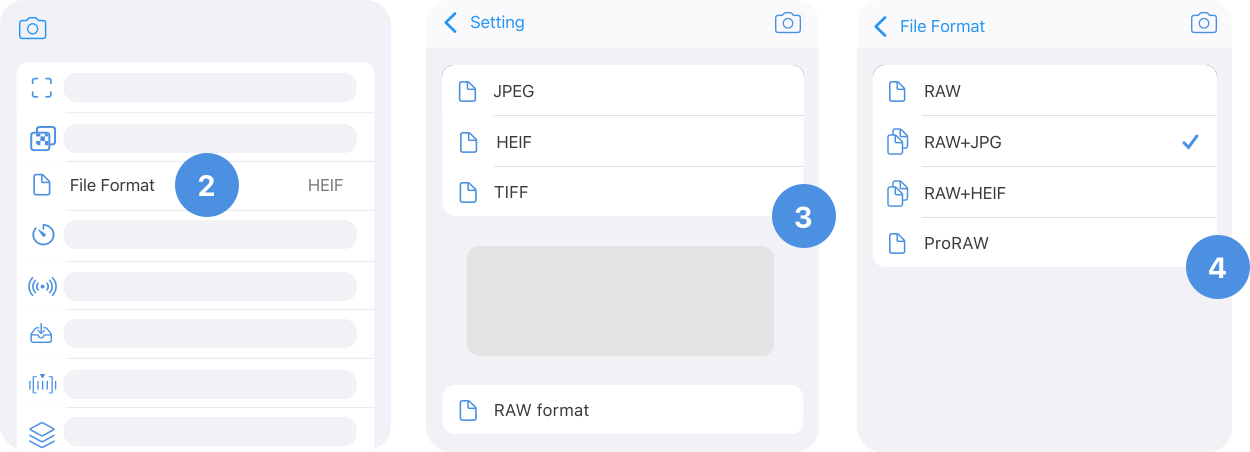
Selecting your preferred RAW file format:
When you activate the RAW Toggle feature in ProCamera, it will use the RAW file format that you have set as your preference. To select the preferred RAW file format:
- Open ProCamera Settings.
- Tap File Format under Photo Mode Options.
- Tap the RAW format entry.
- Select one of the available RAW formats: RAW+JPG, RAW+HEIF or RAW or ProRAW.
Note: ProRAW format is only available on Pro/Pro Max devices (iPhone 12 Pro and up). To learn more about ProRAW, see What is a ProRAW photo?
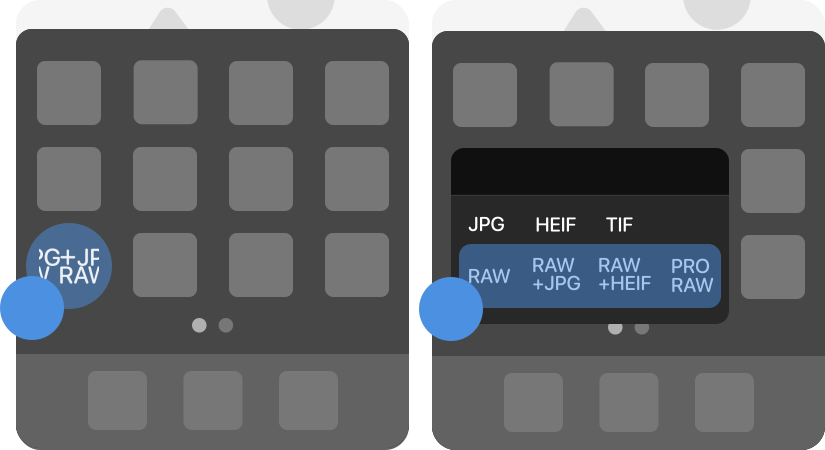
Alternatively, the preferred RAW file format can be selected in the Control Panel (Format section):
Didn't find an answer? Contact support