
Album
Opening the albums in ProCamera
You can access the images stored in the iOS media library (Camera Roll, Recents, or any other iOS album), as well as the images in ProCamera's internal folders (Lightbox and Private Lightbox), directly from ProCamera.
To view your albums, tap the Media Library button in the bottom-left corner of the Capture Screen.

Alternatively, you can open your albums with a single swipe: on the Capture Screen, swipe from the left edge to the right, and you'll go straight to the albums.

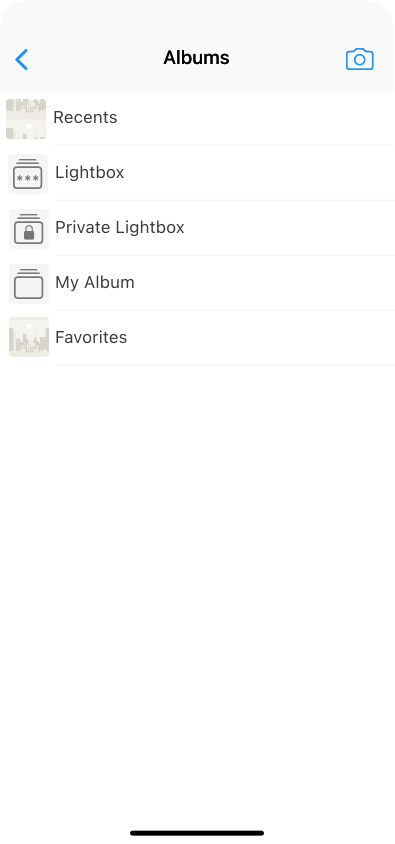
When you open the albums, you'll see folders from the iOS media library (Recents, Favorites,...), as well as ProCamera's internal folders Lightbox and Private Lightbox.
Returning to the Capture Screen from the Albums list, an open album, or a single photo or video
To return to the Capture Screen from anywhere in the album, simply tap the Camera icon in the top-right corner.
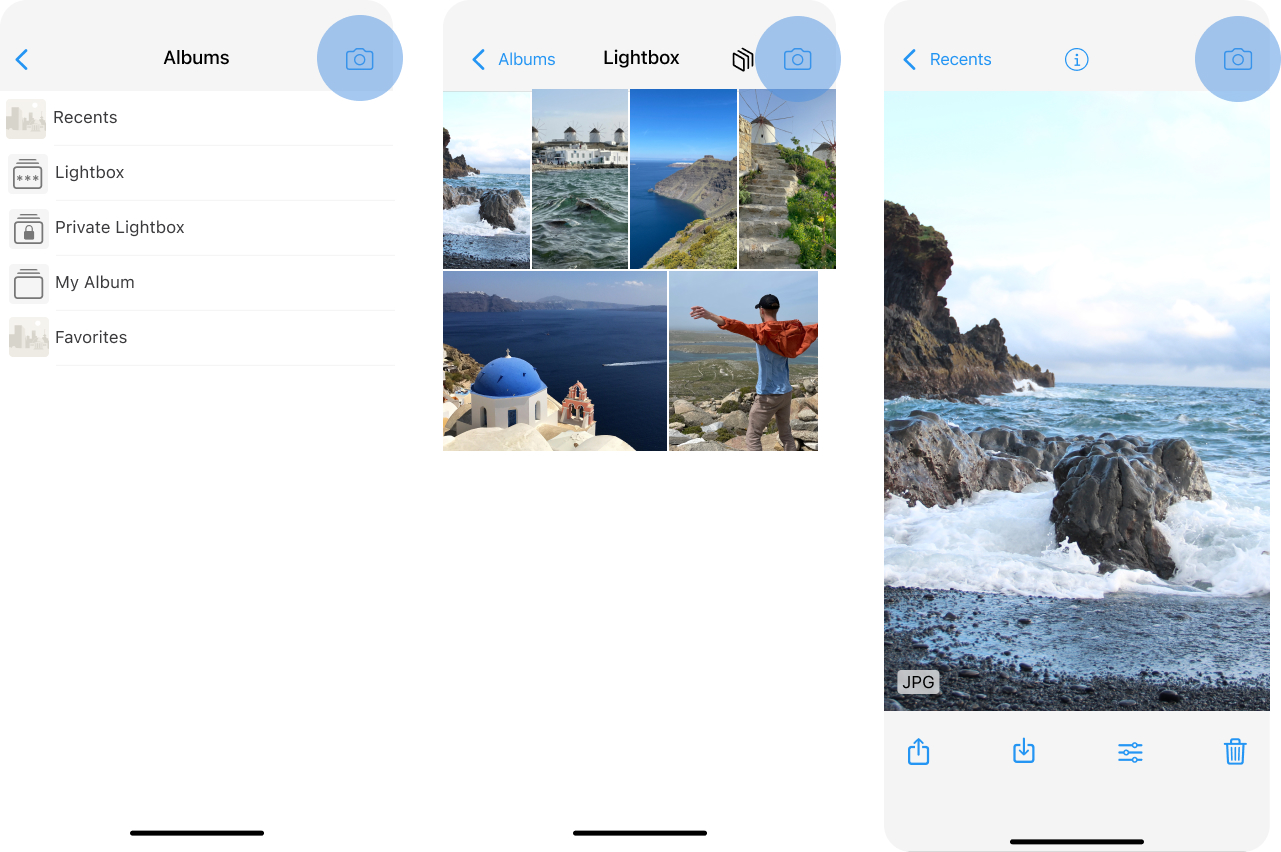
Alternatively, you can return to the Capture Screen using swipe gestures. Here’s how it works in different scenarios:
Returning from the Albums list
You can return to the Capture Screen from the Albums list in ProCamera with a simple swipe. On the Albums list, swipe from the right edge of the screen to the left to quickly return to the camera.

Returning from an Opened Album
When an album is open showing the thumbnails, swipe from the left edge of the screen to the right to go back to the Albums list. From there, swipe from the right edge to the left to return to the Capture Screen.
Returning from a single photo or video
When a single photo or video is open, swipe from the left edge of the screen to the right to go back to the album, and again to reach the Albums list. From there, swipe from the right edge to the left to return to the Capture Screen.
Alternatively, when viewing a single photo or video, you can swipe from right to left on the bottom toolbar to return directly to the Capture Screen — the swipe has to start from the right edge of the toolbar; swiping on the photo itself just moves between your photos.
To do the opposite—return to the open photo or video from the Capture Screen—swipe from the left edge of the screen to the right: the same edge-pan you used at the top of this article to open the albums.
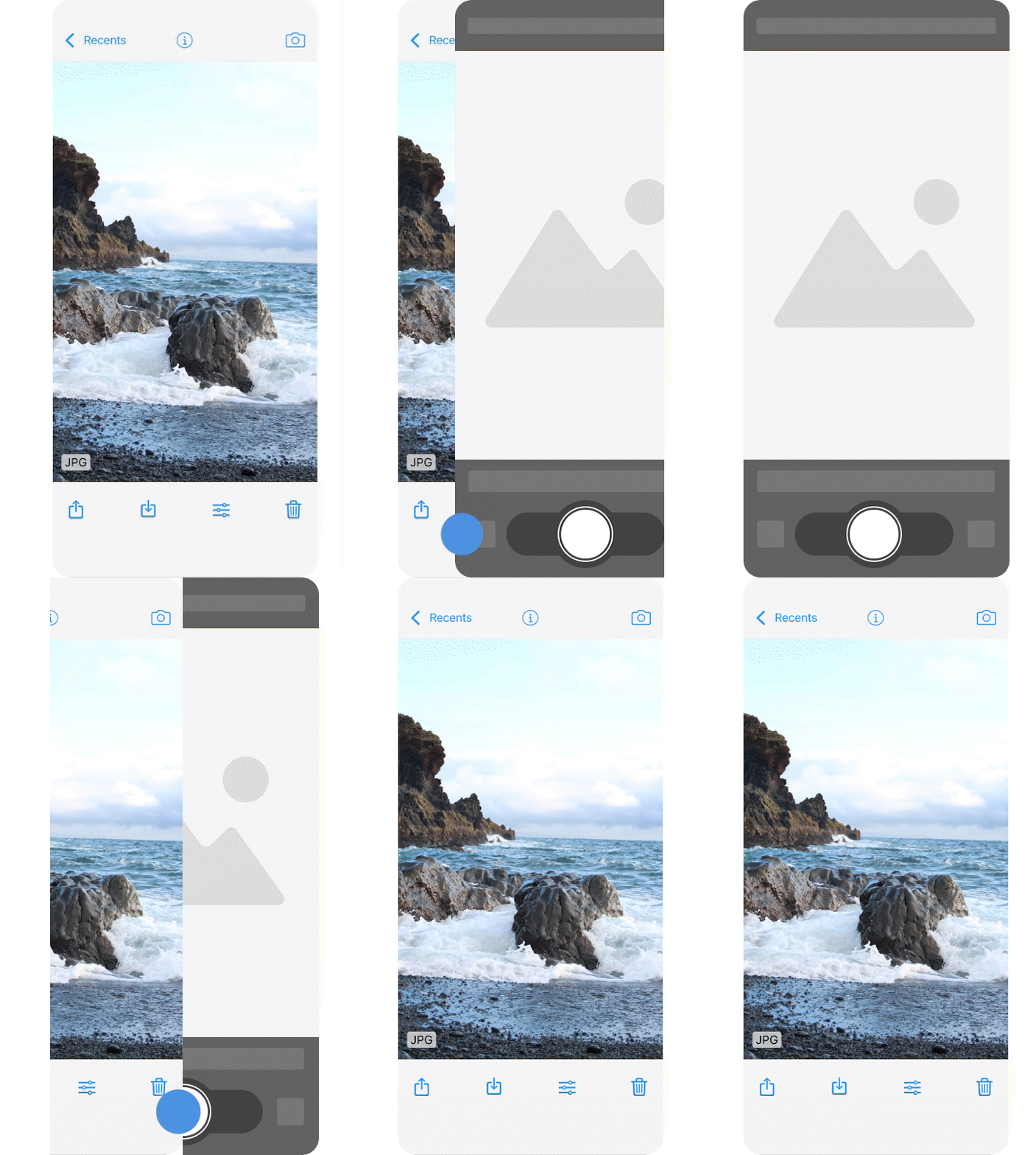
That closes the loop: with these edge-pan and swipe gestures alone, you can move all the way in — from the Capture Screen to the Albums list, into an album, down to a single photo or video — and all the way back out, without touching the on-screen buttons.
Didn't find an answer? Contact support